One recording. Highlight clips, AI-enriched transcripts, and searchable attendee transcripts.
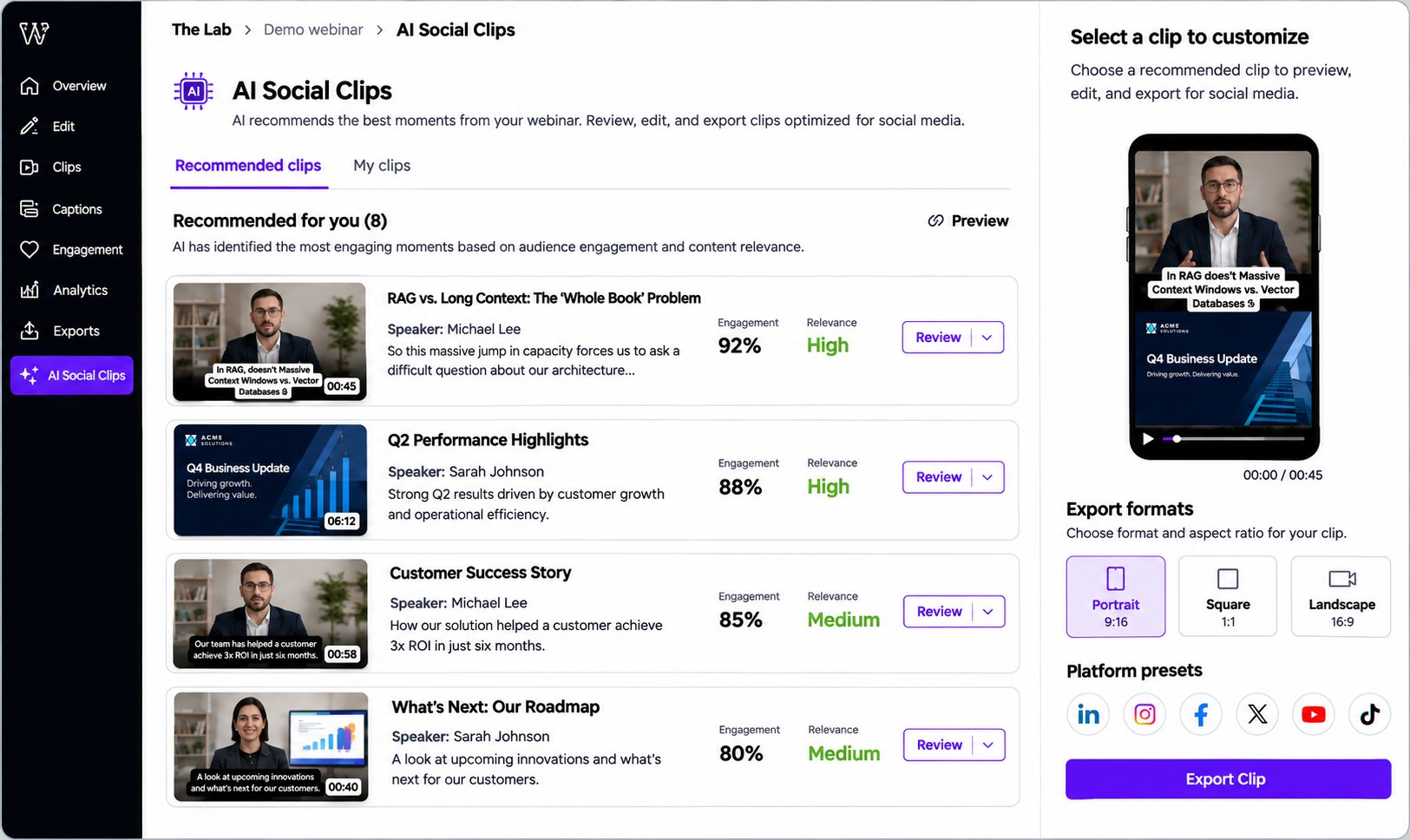
Every webinar recording contains moments you can reuse. Communique's AI content agent identifies those moments and creates short-form highlight clips for your team to review and export. It also builds AI-enriched summaries and topics, and gives attendees searchable transcripts.
of the downstream content potential in a webinar evaporates after the event.
The single largest source of unused pipeline in most B2B marketing programs is the webinar library sitting untouched on a video hub. Companies spend real money producing a high-quality event, then let 95% of the downstream content potential evaporate.
The blocker is never the content. It's the labor cost of extracting it. Scrubbing a 60-minute recording to find the two-minute clip worth posting. Writing the summary. Tagging the topics. Cutting the vertical version for LinkedIn. Building the podcast episode. Formatting the blog post. Every extraction step needs a person, and people are the bottleneck.
The post-webinar AI content agent removes the person from that loop. Not the strategy, not the taste, not the sign-off. Just the mechanical labor of turning a recording into a library.
AI identifies the standout moments in every recording and turns them into short-form videos ready to publish on any social platform. Producers stay in control. The AI recommends, you adjust and approve.
Lab 2.0 AI turns every recording into structured insight. Summaries, topics, key takeaways, sentiment, and extracted Q&A your team can review, edit, and publish. No note-taking, no timestamping, no clean-up.
Transcript search may be the most useful thing a webinar can offer. The moment an attendee finds the answer they came for, they also tell you what they wanted to know, in their own words.
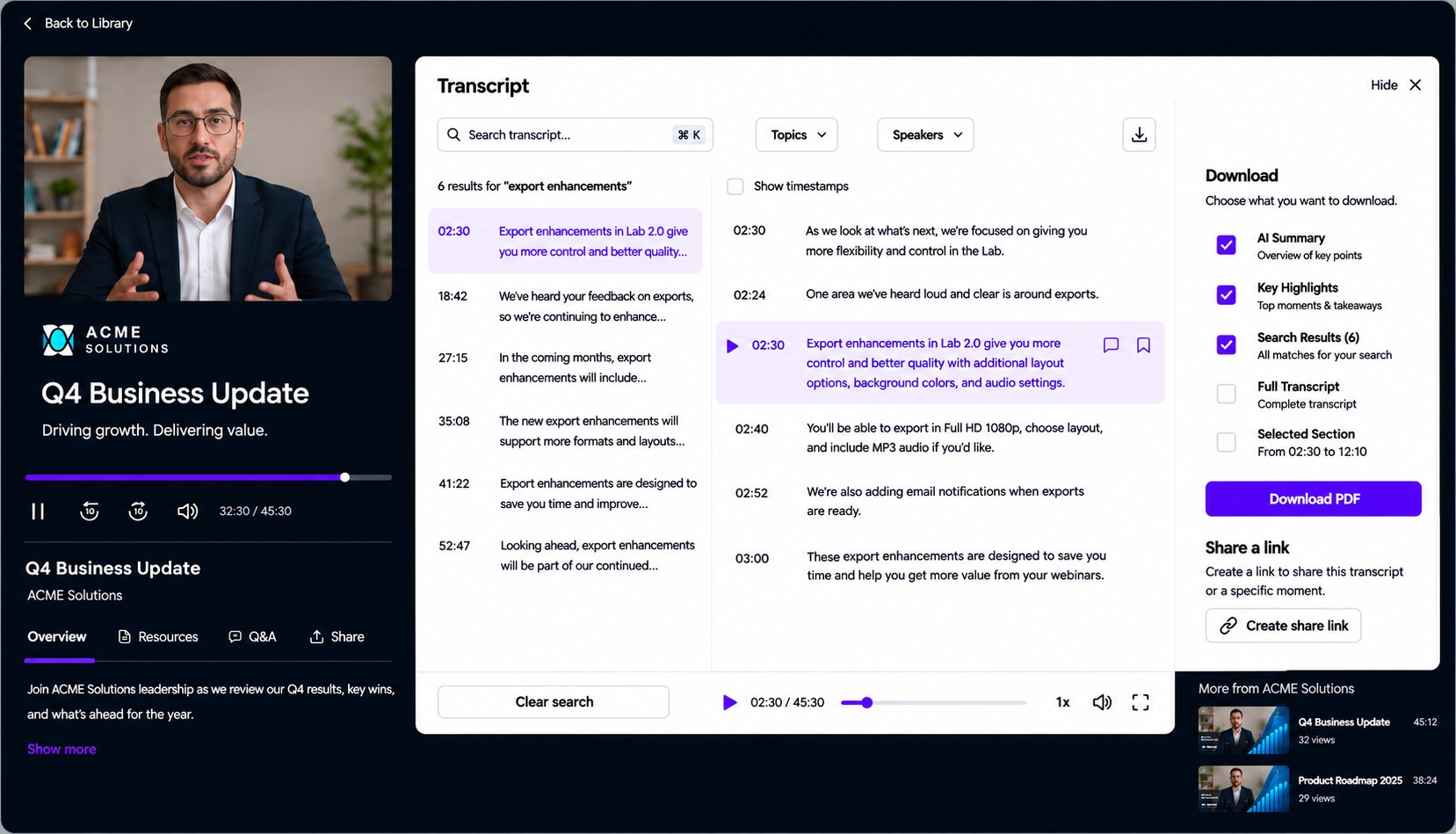
Search a topic, term, or question and jump to the moment it was discussed. No scrubbing through an hour of video, so the replay gets watched.
A search can show the problem someone is trying to solve or the capability they are weighing. That gives sales a clear place to start the follow-up.
Searches across audiences and events add up to recurring pain points, the topics that land, and the words buyers actually use. Use them to pick what to cover next, how to talk about it, and what to ask in discovery.
Marketing programs that already invest in webinars get more from every event without adding headcount. Programs that had stopped producing webinars because the downstream lift was too heavy have a reason to restart.
If you already run webinars on Communique, no action required. Your CSM will schedule a walkthrough.
If you are evaluating platforms and this changes the math for you, get in touch. We can show highlight clips generating from a real recording.
15-minute walkthrough. Bring one of your recordings and we will show what the AI extracts, what the interactive transcript looks like, and what publishes with one click.